
IOX2 Software is a GLP-compliant solution designed for researchers to efficiently acquire, analyze, view, and store physiological data generated during preclinical experiments.
With a powerful suite of analysis tools, IOX2 provides comprehensive real-time signal processing to ensure precise and reliable results.
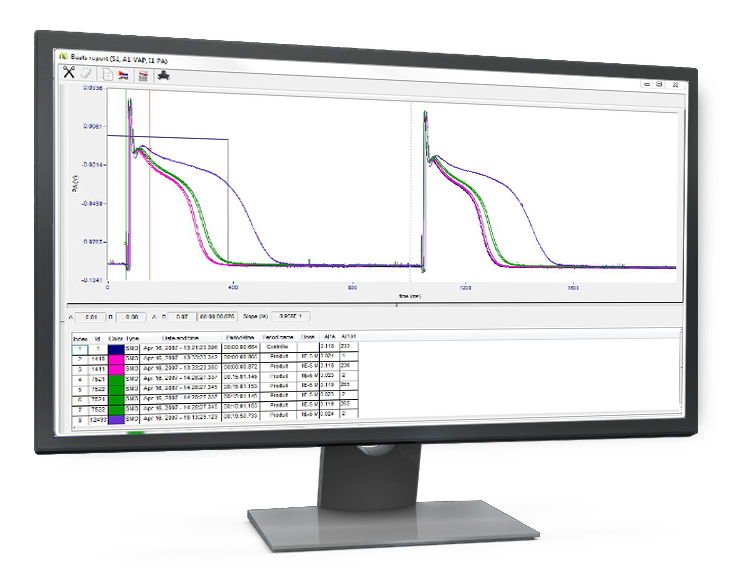
The software supports real-time analysis of up to 200 independent physiological signals simultaneously from:
For each signal, an analyzer processes your data at rates ranging from 10 to 50,000 samples per second, enabling you to derive predefined parameters from physiological signals with precision.
At the core of IOX2 Software is a library of application-specific analysis modules. These modules (also called analyzers) are built using algorithms that are widely accepted and validated by the life sciences research community, ensuring robust and accurate data processing for a variety of physiological signals:
IOX2 software includes a wide range of analyzers for comprehensive signal analysis:
IOX2 Software offers a range of customizable features to suit your specific research needs:

IOX2 software is designed to help you meet Good Laboratory Practice (GLP) standards, ensuring data integrity, reliability, and consistency for regulatory compliance. Optional GLP modules can be activated to strengthen your study management and data handling processes.
These modules provide robust tools for secure user access, audit trails and electronic signatures, offering peace of mind and confidence in your data’s integrity.
User management: This module controls access to the software, ensuring that only authorized individuals can view or modify data. Users are granted specific access rights based on their role (e.g., administrator, standard user) with:
Audit trail: This module automatically logs all actions that may affect raw or processed data. It collects these audit lines and stores them in a secure database for future reference.
Each entry includes a list of actions done on emka TECHNOLOGIES programs, such as the date and time of the action, the user who performed the action or the computer where he action was executed.
These audit records are invaluable for tracking changes and ensuring data integrity during your research.
Electronic signature: The eSIGN module provides secure, encrypted electronic signatures, ensuring compliance with industry regulations and safeguarding the authenticity of your data.
Study management: This module allows you to efficiently associate data files with specific studies, helping you stay organized and ensuring proper documentation of all experimental data.
To comply with SEND requirements, IOX generates SEND 3.1 compatible files that can easily be exported to .xls, .csv and integrated into third-party solutions by Instem and Xybion to increase productivity in preclinical studies.
An input is an electrical signal usually generated by a transducer or electrode and amplified through a specific amplifier.
In addition to inputs (which correspond to measured signals), IOX can create calculated inputs. A calculated input is defined by its calculation formula combining one or more physical inputs, numbers, operators, mathematical functions. After the calculation, the calculated input is handled in the same way as the physical input.
It can be visualized, analyzed, recorded, just as if it came from a transducer.
An analyzer is a software module that derives computed parameters from one or several inputs. Parameters are specific to the type of analyzer. The choice of the analyzer depends on the measured variable, such as left ventricular pressure, blood flow, action potential…
For example:
Some analyzers may require several inputs in order to generate all the relevant parameters (e.g. for the Blood Flow analyzer, a pressure input is required along with a flow input to compute resistance).
A site is a group of inputs related to a single animal or an isolated tissue. A site can be:
The associations formed by inputs and analyzers are grouped into sites, and users will define as many sites as subjects. At the beginning of an experiment, IOX will ask for a subject name for each site. In the end, a primary file will be created for each site/subject.
IOX software can run with absolutely all emka hardware, and also some third-party hardware, whatever the technology used to transmit the data. To make this possible, IOX uses different acquisition modes.
To understand the acquisition mode concept, an introduction to signal acquisition is necessary.
Physiological signals such as pressure, biopotentials, force, flow… are acquired by electrodes or specific transducers that generate analog signals. To be recorded by the software, these signals need to be amplified and converted into digital (numerical) values at regular time intervals.
Digitizing can be done through a specific device interfacing between the computer and the hardware, or directly done by the hardware. The existing options are described below.
Analog signal already amplified, but not converted in digital values.
This is the case with most amplifiers that provide signals on connectors (BNC for example).
In this case, a device is used to interface between the amplifier and the acquisition computer. It acts as an analog-to-digital converter. This converter can be an AD board installed inside the computer (with an external interface box) or an external AD converted linked to the computer through USB and Ethernet cables.
Such converted are necessary with specific devices such: PV loop system, Perivascular flowmeters, analog amplifiers…
Available product to perform this analog to digital conversion from the analog amplifier are:
usbACQ: limited to 4 synchronized analog channels, with a max sampling frequency of 2Khz per channel.
Datalink_USB: can record 16 synchronized analog channels with a max sampling frequency of 20Khz per channel.
easyMATRIX3: can record 8 synchronized analog channels with a max sampling frequency of 2Khz per channel, with the possibility to collect 16 implantable devices simultaneously.
Analog signal already amplified and converted in digital values by the hardware
This is the case for the majority of recent electronics that handled both amplification and digitization and that are connected to a computer by USB or ethernet link.
In this case, a device such as usbAMP is used for direct USB link to the computer running emka TECHNOLOGIES’ IOX acquisition software. Sometimes, this device is directly embedded into the hardware (tissue baths, for instance).
Wireless telemetry systems
Analog solutions
For rodents equipped with easyTEL implants or for subjects equipped with DSI implants* and using third-party telemetry receivers, the analog signal is converted in the easyMATRIX3 device, placed between the receiver and the computer.
easyMATRIX3 connects to the computer through Ethernet. Therefore, an add-on A/D acquisition card is not required.
Digital solutions
For large animals equipped with non-invasive emkaPACK4G telemetry or implanted easyTEL+ and for rodents equipped with rodentPACK, the signal is already digitized by the transmitter. Which is why they are called “Digital solutions”.
Therefore, when the signal is received by the telemetry receiver, it can be directly sent to the acquisition computer, via Ethernet through a PoE switch.
To ensure compatibility with all these options, IOX software offers various acquisition modes:
Hardware systems :
usbAcq usbAmp acquisition mode: for all wired solutions using a USB acquisition, except tissue baths (Electrodes and transducers connected to usbACQ or usbAMP, ecgTUNNEL, isolated Heart, perfusion system for liver/kidney)
emkaBATH acquisition mode: for all our tissue bath systems (emkaBATH4, emkaBATH2, emkaMYO2)
NI acquisition mode: For computers equipped with a National Instrument card, or datalink_usb box
Wireless telemetry systems :
easyMATRIX+ acquisition mode: for analog inputs used with easyMATRIX3 device.
Digital telemetry acquisition mode: for digital solutions except emkaPACK4G (easyTEL+ implants and rodentPACK)
emkaPACK acquisition mode: Specific to emkaPACK4G non-invasive telemetry for large animals
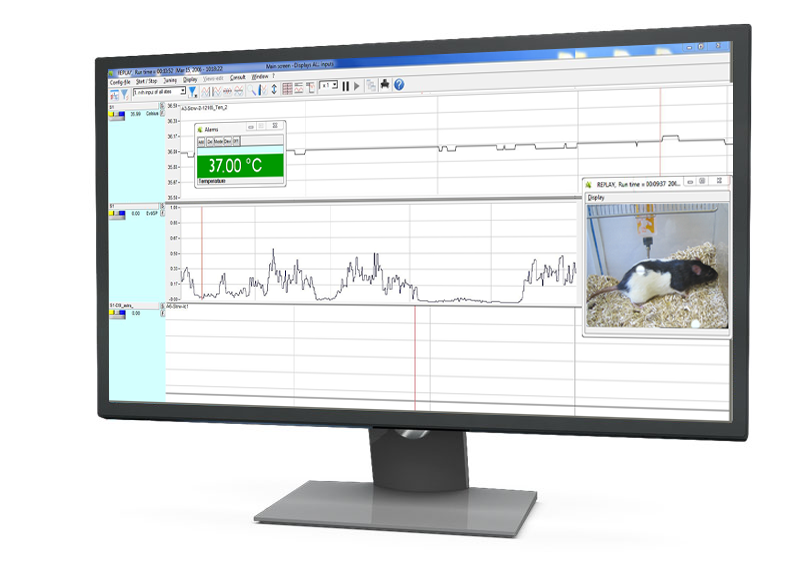
Yes, IOX software offers the ability to replay exiting raw data files.
During this replay, a new analysis will be performed, and new text files, including derived parameters from raw data files, will be produced (note, that raw data files are never modified).
If a replay is performed without any modifications in the original configuration, new text files will include similar values to the original files. However, it is sometimes useful to change parameter settings to improve analysis. For instance, it is possible to:
Not necessarily. We can decide to affect two cameras to the same animal (i.e in large pens with indoor and outdoor parts requiring two cameras), or one camera for several animals (example of group housing in the same cage).
When animals are group-housed, a visual tag on each animal is necessary, in order to identify them. Furthermore, it should be taken into account that video recording can be black and white during night recording, with infrared illumination.
Raw data files with physiological signals and video data files are saved separately.
Video data files can be read with most movie players.
When reviewing records in IOX2 or ecgAUTO software, raw data files and video files are automatically synchronized. If the video signal cannot be located, raw data files are simply replayed without video.
Note: For instance, it is possible to keep Video files only for quality control just after recording and delete them later because archiving is not necessary. Deleting video files doesn’t impact physiological data files.
A license is a combination of software and its license file. Software rights (such as authorized analyzers, number of inputs, etc.) are saved in the license file.
License files are represented by an xmli file, stored on a license key, directly on the computer hard disk, or on the network. These files are created by emka TECHNOLOGIES, for any emka software version installed on a computer.
The computer used to install the emka TECHNOLOGIES software must satisfy the following minimum requirements:
We recommend the Desktop Dell Optiplex Small Form Factor model, along with an UPS (Uninterruptable Power Supply).
Before any installation, you must ensure with your IT department authority that the computer you intend to use for the emka TECHNOLOGIES software installation, and operation is correctly configured (read and write access on specific folders, Windows settings etc).